


In July 2025, ChatGPT experienced two separate headline-grabbing service incidents:
- On July 16, users experienced several issues, including increased error rates for 23 different ChatGPT components.
- On July 21, paid subscribers experienced a partial outage, which OpenAI resolved in approximately three and a half hours.
In this article, we’ll use OpenAI incident reports for July 16 and July 21 to review both outages. Then, we’ll consider three key takeaways website administrators and engineering teams can use to improve system uptime.
Scope of the Outages
July 16 outage
Technically, the outage on July 16 was four separate incidents. OpenAI logged each one on its status page:
To keep it simple, let’s focus on the “Elevated Error Rate on ChatGPT” incident. For this one, OpenAI published a detailed write-up and explained the root cause. This particular incident impacted 23 separate OpenAI components, including ChatGPT login and web services. It lasted just under an hour—from approximately 02:43 to 03:38 UTC. During the incident, an unquantified “small” number of users experienced increased ChatGPT error rates. The timeline reported by OpenAI is close to reports from publications (such as The Times of India) that ChatGPT was down.
July 21 outage
The July 21 outage lasted from 13:38 to 17:17 UTC, impacting paid subscribers and a single OpenAI component. The affected component was ChatGPT conversations. Given that paid users tend to be AI power users, and the incident occurred during the daytime in the US on a Monday, this disruption had a noticeable impact. According to TechRadar, ChatGPT suggested some end-user workarounds during the incident, such as refreshing the page and resending messages after a minute or two.
Root Cause of the Outages
The July 16 outage was caused by an invalid configuration change.
According to OpenAI, an invalid value in a newly applied configuration caused the July 16 service disruption. Multiple services read the invalid value, which caused issues to propagate across many OpenAI components. As a result, backend pods entered crash loops, and end users began experiencing increased error rates.
The exact root cause of the July 21 outage is still unclear.
As of this writing, OpenAI has not specified a formal root cause for the July 21 outage. However, as we have seen with outages like the X/Twitter outage in September 2024, not knowing the exact root cause can lead to some useful thought exercises to help with resilience planning.
Theoretically, what might have caused the July 21 service disruption? Here’s what we know:
- Only a subset of users (paid subscribers) were impacted.
- The incident occurred within a few days of the launch of the ChatGPT agent.
- OpenAI was able to mitigate the issue within a few hours.
With that in mind, some possible causes include:
- Model or service-specific bugs: A specific OpenAI model or service with a bug or misconfiguration, resulting in cascading effects.
- Infrastructure problems: Resource contention or issues with infrastructure configuration for services dedicated to paid users.
- Deployment issues: An error in how code was deployed, even if there were no bugs or infrastructure issues per se.
Lessons Learned from the Outage
While most of us aren’t operating at the scale of the ChatGPT service, these July 2025 incidents yield some salient lessons that we can learn from. Here are our three biggest takeaways and how they can help teams improve their uptime.
Lesson #1: Reduce the blast radius
The July 16 incident saw over 20 different components affected because they all referenced the same configuration. To increase the resilience of your services, identify and eliminate single points of failure in your systems. Doing so helps minimize the blast radius when something goes wrong. You may even abstract some failures away from your end users.
As you do this, also strive to avoid introducing unnecessary complexity. A web service that is too complex can create failures that are more difficult to debug and recover from. Granted, getting the balance between reducing points of failure and minimizing complexity can be more art than science. To strike the right balance, ask yourself these questions:
- What components could cause our site to go “down”?
- Do those components have redundancy?
- How quickly could we recover if these components were to fail?
- What is the cost of adding additional redundancy or fault tolerance?
- What is the cost of speeding up our likely recovery time for each component?
With the answers to these questions, you can make informed decisions about whether or not it makes business sense to eliminate a particular single point of failure.
Lesson #2: Monitor user journeys
Notably, in each outage, there were OpenAI users or services that remained unaffected. Modern web services tend to be complex enough that some user journeys can remain operational while others are down. This means that monitoring tools could report that a system was up—even while some users can’t complete key workflows.
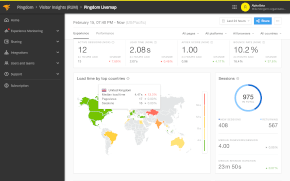
Monitoring techniques, such as transaction monitoring and real-user monitoring (RUM), can help teams ensure that the workflows that matter are operational. Transaction monitoring allows teams to monitor simulations of user journeys, alerting them if something breaks. RUM provides client-side insights that would enable teams to detect user issues that other monitoring techniques might miss.
Lesson #3: Help your users self service
The suggestions from OpenAI to users to try again after a few minutes or reload a page if an error persists may seem like a small thing. However, for individual users trying to solve a problem at a specific point in time, it could have been precisely what they needed. A web service that gets users the information they need to solve a problem can mitigate the need for a human to answer a support ticket.
When a service incident occurs, support teams are likely to see an increase in inquiries. As ticket queues get backed up, this can lead to slower response times and frustrated users. Communication methods such as social media posts or public status pages can provide users with a quick answer to their questions and reduce the burden on support teams when it matters most.
How Pingdom Can Help Improve Your Website Monitoring
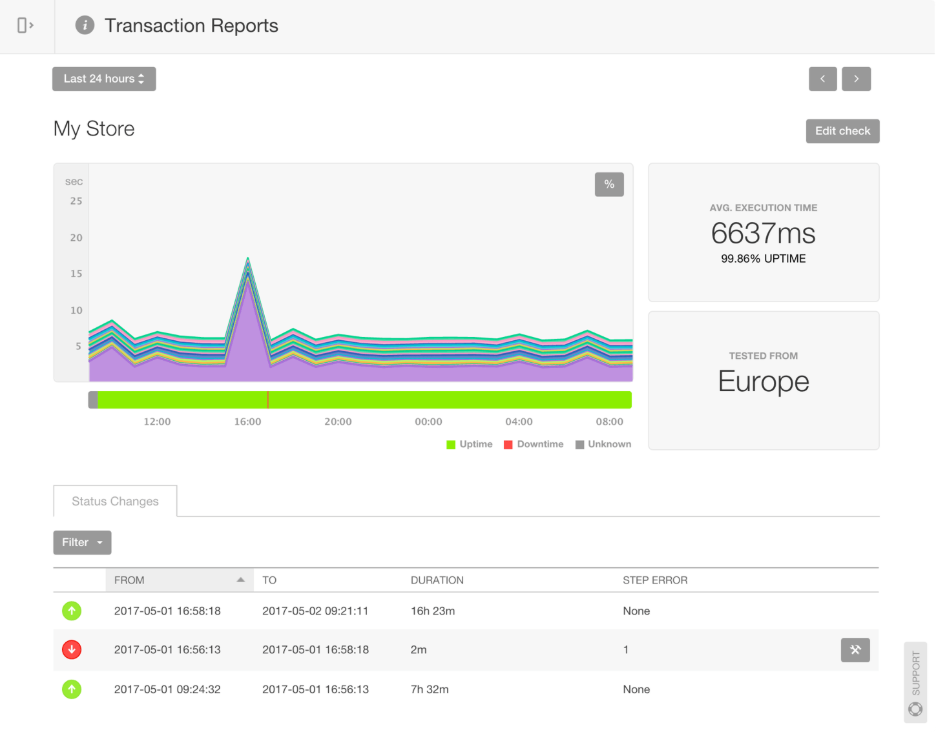
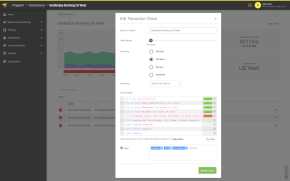
A Pingdom transaction report showing execution time from a European point of presence. (Image Source)
Pingdom is a simple yet powerful uptime monitoring tool that empowers IT teams to monitor website availability, performance, and user experience from multiple locations worldwide. Pingdom supports multiple checks (including ping, HTTP, and DNS) to test site availability. It also offers transaction monitoring to validate end-to-end user workflows for critical user journeys and can detect end-user issues directly with RUM.
If you’d like to see how Pingdom can help you simplify and scale your website monitoring, sign up for a free (no credit card required) 30-day trial today!